Small to XL
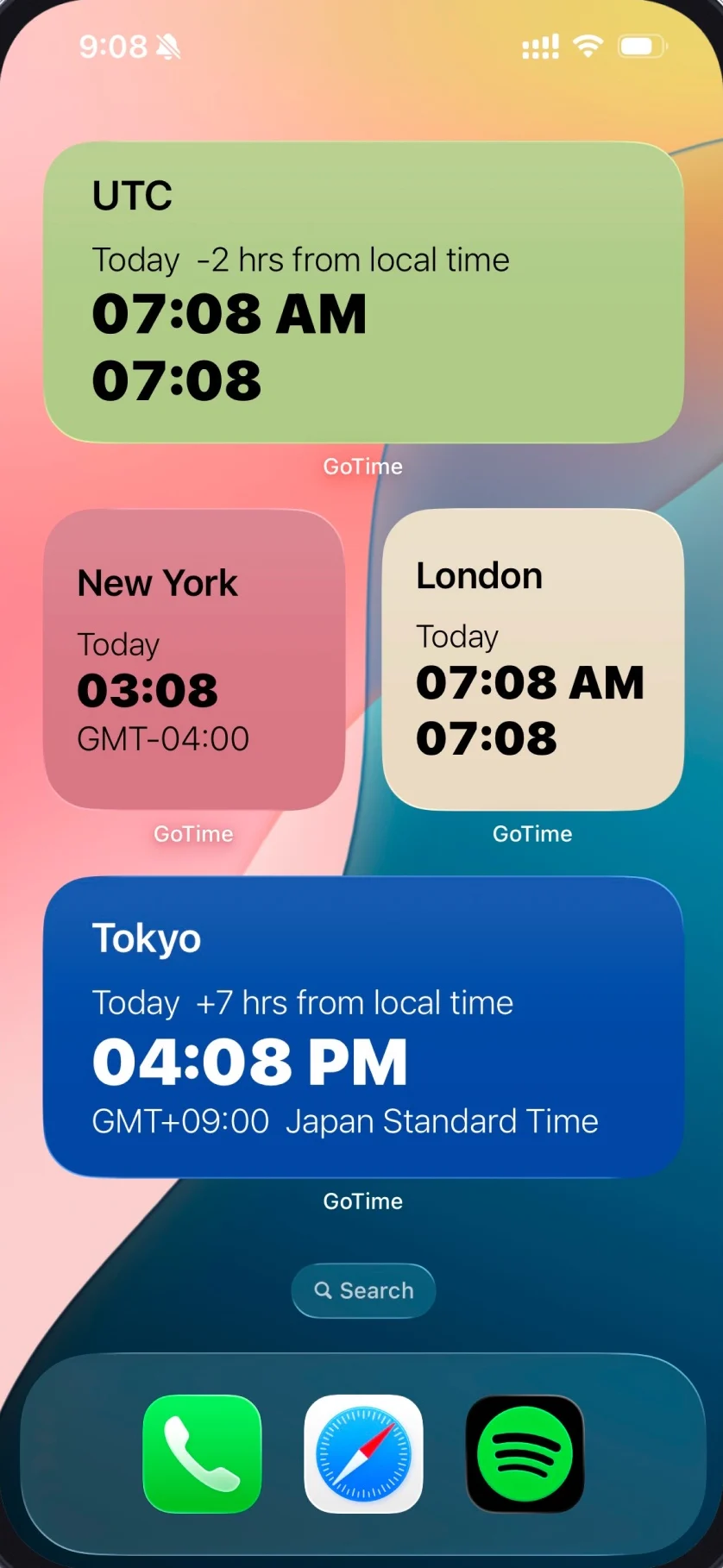
Pick the size that fits your Home Screen. Multi-city widgets put several clocks in one.

Any city's time on your Home Screen, Lock Screen and Smart Stack.

4.4 on the App Store260 ratingsFree to download
Pick a city, a color and a time format. The preview runs on the real time.
London
Today Same as local time
05:24 PM
17:24
GMT+00:00 UK Time
GoTime
In the app, long press any GoTime widget and choose Edit Widget to change it.
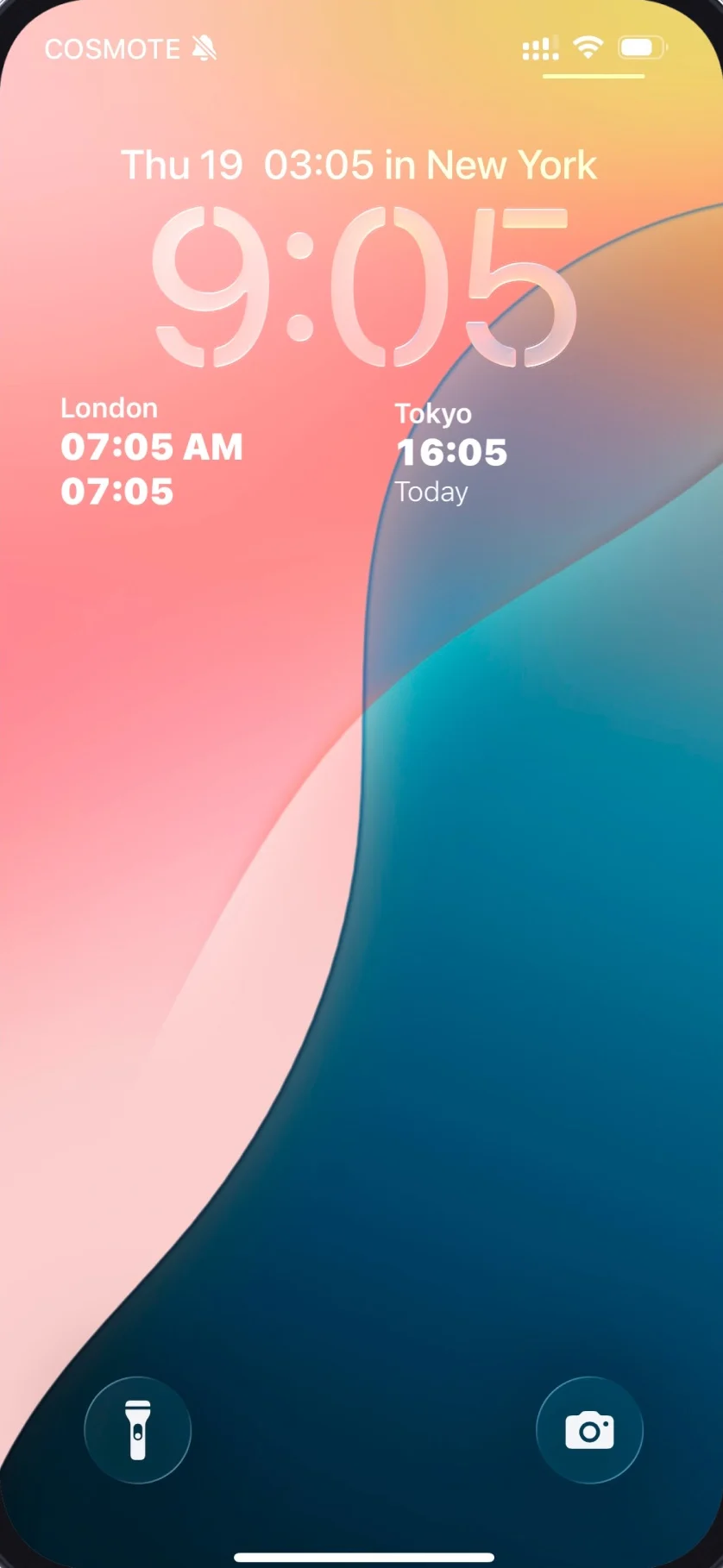
Put city clocks right under the time on your Lock Screen, in 12 hour, 24 hour or both.
There is a Lock Screen widget for the spot above the time too. Change cities and formats from your Lock Screen settings.
Pick the size that fits your Home Screen. Multi-city widgets put several clocks in one.
Widgets show your time zone alarms as well as your clocks, on the Home Screen or in the Smart Stack.
GoTime widgets work with the clear and tinted Home Screen styles.
Long press on your Home Screen, tap the "+" button, and search for GoTime. Choose from a variety of widget sizes for both Home Screen and Lock Screen.
Long press on any GoTime widget and choose "Edit Widget" to change the city, background colors, and time format. Lock Screen widgets can be customized the same way through your Lock Screen settings.
Free on the App Store for iPhone and iPad.
4.4 on the App Store260 ratingsFree to download